Do you hit your usage limits faster while working with MCPs?
Because I do. I'm a Claude Code Max User and the second a task needs real company context, I reach for MCPs. And MCP calls are either painfully slow or they burn through my session limit before the job is done.
And it's about to get worse. Claude and a growing list of providers are capping tool use, because every MCP call into a coding agent is inefficient. It floods the context window and costs the provider a fortune to serve.
Claude Desktop added a tool-call cap and MCP-heavy workflows started breaking (community thread). Stacked across a real workflow, the token costs and time-outs are making easy workflows practically unfeasible.
A better unlock for everyday workflows, is giving your agent a dedicated company brain for context retrieval, instead of forcing MCPs to do a job they were never built for.
Once I did that, Claude Code helped me do the following in a 1 line prompt:
- Build a landing page comparing Slite's RAG v/s 3 kinds of RAG
- I edited an article using customer proof from the last year and a half, buried across 3 tools
- I rewrote landing page copy from customer conversations that were 3 months old
The whole thing took a three word addition to the prompt.
"Just ask Slite."
This article shows you exactly why MCPs don't cut it for retrieval, how a company brain unlocks faster workflows, how to use Slite Agent with Claude Code and Codex, and how the Slite Agent unlocks novel workflows while saving you time, instead of babysitting an AI about where a doc is.
Key Takeaways
- MCPs are bad for context retrieval. They're great for actions like creating a ticket or opening a PR, but using them for context retrieval floods your agent's context window, burns through session limits, and times out on anything real.
- A dedicated company brain fixes retrieval. Pointing Claude Code or Codex at Slite Agent for context is one clean call instead of hundreds of MCP calls, so your prompts get shorter and your knowledge work stops breaking mid-workflow.
- Setup takes about ten minutes. Connect your tools to Slite, give your coding agent access to the Slite MCP, then create an "Ask Slite" skill and turn it into a reflex in your agent's memory.
- It's agent-agnostic and respects your permissions. Claude Code, Codex, or Cursor all call the same brain, and it only ever surfaces what a person already has access to.
- Every team unlocks new workflows. The same setup powers real workflows across GTM, product, customer success, sales, engineering, IT, and strategy, each with copy-paste prompts you can run today.
Why MCPs are poor for context retrieval
Every time you ask Claude, "Get context about this project for Jira," it has to load every tool definition just to know what exists, fire call after call across systems, and stitch a picture together from raw fragments.
Half its window is gone before real work starts, and on anything long it times out. We even tested MCPs v/s a real company brain for retrieval (here). MCPs came out to be slow, inaccurate, and timed out way too often to be reliable for any real everyday work.
You can't even ask Claude a basic question like, "tell me what Jason did in the last 12 months" because it can't tell Jason the developer of your team from Jason the prospect in your CRM.
When we tested this exact question, Claude with MCPs retrieved 10 unrelated Jason contacts from Attio (our CRM).
So who tells Claude Code that Jason is a developer and it needs to look in internal docs?
Right now, you do.
Every morning you re-explain what Q3 means, paste the Slack thread into Claude, remind it who owns what and why the launch slipped. And the moment you finish typing, it's stale, because the decision you briefed last week got reversed in a meeting you weren't in.
What if you could sidestep all these, give Claude a single agent for context, get done with your workflows faster, without hitting the 5-hour usage limit? That's what a company brain like Slite unlocks.
Slite Agent: a company brain for Claude Code and Codex
Slite Agent is your company's brain as an AI layer over your company knowledge base. It's a context agent that plugs into every tool your work actually lives in, figures out what's current and what's noise, and hands your coding agent exactly the context it needs in a single call, so Claude Code or Codex stops interviewing you and you stop copy-pasting Slack threads.
Once you connect your sources, it can:
- Pull context across every tool at once, your CRM, project management, internal docs, call transcripts, Slack, and code, without you pointing it anywhere.
- Tell what's current from what's stale, so it surfaces the verified doc and the decision that actually stuck, not the version someone renamed three iterations ago.
- Chain scattered context into one answer, connecting a Slack thread to the Linear ticket to the call it came from instead of handing back fragments.
- Respect your existing permissions, only ever surfacing what the person asking already has access to.
- Answer/collaborate any orchestrator you use, Claude Code, Codex, or Cursor, so switching tools never means rebuilding your context layer.
That's exactly why it's so powerful to pair your AI orchestrator with a dedicated context Agent like Slite. It can give answers on the fly, 24/7, and help the agent fact-check its work.
This is the part people are starting to call context engineering: giving the model the right context up front instead of a longer prompt.
I'll show you how to set up the Slite Agent and how it can be useful not just for you, but every department in your company from GTM to Product.
How to connect the Slite MCP to Claude Code and Codex
Connecting the Slite MCP to Claude Code and Codex takes about ten minutes.
First, if you've not already, sign up to Slite.
Secondly, connect all your tools as Agent Sources in Slite.
Thirdly, give Claude Code/Codex/[your agent's name] access to Slite. This will also work with:
- Openclaw
- Cursor
- Claude Cowork
- Kimi Work
Slite Agent will also work with any other AI orchestrators that have agentic access to MCP tool calling. The workflows are orchestrator agnostic because Slite does the heavy lifting of fetching the information from your tools and stitching a complete picture.
So even if you're on an orchestrator we didn't name above, don't worry, you'll get the same benefit as someone using a SOTA harness.
Ask it:
Set up the Slite MCP for me. Here's the developer docs: https://slite.slite.page/p/lmeen-YwXupV23/Slite-MCP

Stop when you need me to approve something.
It will guide you through the process and ensure everything's setup. If you'd like to go the long way and DIY, you can go through the Slite MCP page yourself to figure out how to set up the MCP.
Once that works, add the part that matters. Create an Ask Slite skill:
Create a skill called Ask Slite. It should ALWAYS use the ask-slite tool of the MCP. Use it whenever a task depends on company context. Before drafting, editing, planning, triaging, or changing anything, ask Slite for the relevant docs, customer context, decisions, source links, and open questions. Think of it as the context agent and a friend that knows the latest on everything you might need as context about my company/org. It has access to knowledge from CRM, Project Management tools, Internal docs, etc. You can even interview it across multiple queries until you have the entire context.The most important line in that skill is when to use it.
"Before drafting, editing, planning, triaging, or changing anything" is what makes the agent reach for Slite instead of guessing, so keep that list concrete and add your own triggers: before answering anything that touches a customer, a decision, or a number.
Leave it vague and the agent quietly skips the skill half the time.
Then drop this into your agent memory:
Whenever a task needs company context, use the Ask Slite skill before doing the work.That's the whole trick. The integration gives the agent access. The skill turns access into a reflex.
Without it, you only remember to ask Slite when a task obviously needs research. With it, the agent checks company context before it starts making things up.
18 agentic workflows to run with your company brain
Agentic workflows are multi-step jobs you hand to an AI agent end to end: it gathers the context, does the work, and reports back, instead of you running each step by hand.
Below are some of the most novel, ambitious workflows we at Slite use now that we can't live without.
They're the everyday jobs that used to mean an afternoon of digging across five tools, now run from a single prompt because the agent already has the context.
Each one comes with the exact prompt to copy, what it pulls from, and tips we learned only after running it a few times.
Start with your own team, but skim the rest. The best ideas tend to come from watching how a different department uses the same brain.
Our top 3 agentic workflows for GTM
Agentic workflows are must-have for GTM teams because their work is always downstream to product work and current customer sentiment, which move very fast.
Due to this, they lose hours to busywork around the work like hunting down a customer quote or piecing together what shipped. The digging eats the day, and the thinking you're actually paid for waits its turn.
These three workflows hand the digging to the agent so the time goes where your judgment is. Here are the ones we run constantly.
Everything below assumes you've done the ten minute setup and have the Ask Slite skill installed. These are the three I run constantly. Copy the prompts, change the brackets, ship.
1. Consolidate every customer quote you've ever had
A month ago, you saw a Slack message that shared a 200 word glowing testimonial from your paying customer. But they're impossible to find when you need to cite them in an article.
They're usually buried in eighteen months of call recordings, support tickets, and the odd review nobody saved a link to. Digging it out by hand is a whole afternoon you don't have.
So, copy this.
Use the Ask Slite skill. Find every direct quote a customer has said about [onboarding / pricing / our feature] in the last 18 months.

Pull from calls, support, Slack, my project management tool, and reviews. For each quote return:
- the verbatim line
- who said it (name + company if known)
- the source link
- the date

Group them by theme. Flag anything that needs sign-off before public use.
Ask for the source link and the date every time, and don't let it hand you a quote without the line that came right before it. Once it consolidates the reviews, do a quick review and clean up the list, and the next time, the agent pulls from the selected list for all marketing collateral.
2. Launch-in-a-box
You know how a launch actually goes. The spec's in a PRD, the reason you're building the thing is buried in some product doc, the customer demand is scattered across a dozen call recordings and Slack threads, and the positioning lives in a doc that someone changed thrice yesterday.
Pulling all of that together by hand is the launch, and it's usually why the date slips.
Try making an agent gather it through MCPs and you'll watch it fire call after call across four tools and time out before it writes a single line.
Skip that. Let the brain do the gathering instead.
One message in, the whole kit for your GTM launch plan comes back.
Use the Ask Slite skill before drafting anything.

We ship [feature name] on [date]. Build the launch.

1. Pull the spec and scope.
2. Pull the "why we built this" from the product decision doc
3. Pull who's been asking for it from customer calls and Slack.
4. Pull our current positioning and tone from the messaging doc

Then draft, all consistent with that positioning:
- a blog announcement
- a landing page section
- a 3-email launch sequence
- a one-page sales enablement doc
- a changelog entry
- 5 social posts (LinkedIn + X)

Cite the source for every factual claim. Flag anything you had to assume.
The only caveat is, you might need to define canonical sources of truth if you've got duplicates. If you've got 3 messaging/positioning docs from the last 2 days, the agent's going to get confused.
When it comes back with sources, pick the best one, and everything the agent drafts comes back on-message.
For a bigger launch, run it section by section instead of all at once. Or, if you're on the Claude Max plan, ask it to gather context first and then spawn subagents for each task.
The drafts are tighter when each one gets the model's full attention, and you get to fix the blog post's assumptions before they travel into the emails.
It will fill gaps confidently, so that "flag what you assumed" line is the one I'd never cut.
3. The win/loss engine
Your CRM is sitting on the most expensive research you'll never read.
Every closed deal has a transcript, a notes field, and a Slack thread arguing about why it really went the way it did, and nobody has the hours to read across a quarter of them.
Do that and you stop guessing at why you win and start seeing it.
The win/loss analysis hands you the exact messaging changes to make on your landing pages and in your sales collateral for better CTRs.
Use the Ask Slite skill. Read every deal closed in [Q1 / the last 90 days], won and lost.

Pull from call transcripts, CRM notes, and Slack. Then tell me:
- the top 5 reasons we won, ranked by frequency, with a direct quote for each
- the top 5 reasons we lost, same format
- which competitor came up most in lost deals and what they beat us on
- where the data is too thin to trust

Then turn the findings into: an updated objection-handling doc and 3 messaging changes you'd recommend, each tied to the evidence.
Ask for a frequency count and a real quote behind every line, so one loud lost deal doesn't masquerade as a pattern.
Split SMB from enterprise while you're at it, they lose for completely different reasons and a blended list hides both.
Run it every quarter and read it against the last one, because the story is almost always in what changed.
Our top 3 agentic workflows for product
Slite Agent has direct access to your codebase, PRDs and sprint tracking tools, so the product team gets agentic workflows that directly pull from their most-used places.
1. Automate the changelog and weekly product update
Writing the changelog from memory on a Friday afternoon means you forget half of what shipped and word the other half like a commit message.
The agent reads what actually merged and writes both the changelog and the newsletter for you.
Set it to run every Friday and it's waiting when you log off.
Use the Ask Slite skill. Read every user-facing change merged since [last Friday].

For each change, write a plain-language changelog entry. Group by feature area and skip internal-only refactors.

Then draft this week's product newsletter from the same changes: a short intro, the 3 most notable updates with a line on why each matters to users, and the rest as a list.

Use our company's newsletter format and tone of voice. The Slite Agent can directly point you in those places.

Link each entry back to its PR for me to review.
PR titles lie, so tell it to read the description and the linked issue for the real reason a change exists, not just the headline.
Give it a clear rule for what to leave out, too, the internal refactors and the quiet security fixes you don't want announced, or they'll cheerfully end up in front of customers.
Read it before it goes out. It's ninety percent there, and the last ten percent is your judgment about what's worth leading with. Every one of our changelog entries and newsletters have gone out using this exact workflow in the last quarter.
2. Stress-test any feature before you build it
Every roadmap has that one feature three people swear by and nobody's actually pressure-tested. And every planning cycle has people vouching for their eureka-moment-ideas that will be the next 10x PLG lever.
By the end of the call, you've discussed 15 'promising' ideas while wondering which 5 actually make it to production.
This workflow lets you pull every shred of customer signal for the idea and let the agent poke holes in it before an engineer ever opens a branch.
Use the Ask Slite skill. We're considering [feature / proposal].

Pull all customer evidence from calls, support, Slack, reviews, and Linear. Tell me:
- who is asking for this, how often, and what they actually want (with quotes)
- where this contradicts a past product decision
- what we'd have to build, based on the current codebase
- the strongest case against shipping it

Be the skeptic. I want the holes, not the hype.
"Will this even help in day-to-day?"
Yes it will, our CEO uses it, and here's a video of him showing exactly how he doesn't make a product decision without it.
That be the skeptic line is the whole point. Without it the agent just sells your own idea back to you in nicer words.
Feed it your real constraints too, the eng capacity and what's already on the roadmap, or it'll recommend something lovely you can't build.
And make it argue both sides, because it'll happily find evidence for whatever you lead with.
3. Fact-check your help center against the codebase
Help articles start lying the moment the code underneath them changes, and nobody notices until a customer follows step four into a button that no longer exists.
Set a weekly automation that reads every help center article against the actual code and either fixes it or queues it for you.
Use the Ask Slite skill. Pull every published help center article.

For each one, check the behavior it describes against the current codebase. Where they diverge, list:
- the article and the wrong claim
- the correct behavior
- a rewritten version
Start in review mode and only graduate to auto-apply once you trust the small fixes.
The code is what is, but a help doc is sometimes simplified on purpose for a non-technical reader, so don't let it "correct" an explanation you dumbed down deliberately.
Let it auto-apply wording, and keep the meaning changes on your desk.
Our top 3 agentic workflows for customer success
Customer success teams need agentic workflows because they have the most vital conversations with customers which should serve as guiding insights for product and sales teams.
However, they're bogged with clerical, repetitive work like renewal briefs, product handoffs, and churn predictions.
Many of their tasks follow an exact pattern of consolidating insights from different sources of context. Now, your AI Agent can automate a lot of that repetitive work that would've taken manual effort of stitching Zapier workflows or buying dedicated tools for.
Let's go through 3 of them here.
1. Renewal brief before every call
Walking into a renewal with a vague sense the account is "doing fine" is how you get blindsided.
The agent pulls their actual usage and the full history, every:
- Ticket
- Call note
- Slack mention
- Community feedback
Into one brief before you dial in.
Doing this by hand is six tabs and an afternoon, and doing it through raw MCP calls means watching the agent read every transcript itself until the window's full.
This is a better way to consolidate context, filter out noise, and get an actionable brief to guide your renewal conversations.
Use the Ask Slite skill. [Account] renews on [date]. Build the renewal brief.

Pull usage data, every support ticket, all call notes, and any Slack mentions. Tell me:
- how usage is trending over the last two quarters, not just today's number
- which features they've adopted and which they've ignored
- open complaints and unresolved tickets
- expansion signals worth raising
- the 3 risks to flag before the call
Once you have the output, you can:
- tie the usage back to why they bought in the first place,
- which features have excellent adoption across their team,
- and which features they might want to expand for.
2. Voice-of-customer handoff to product
CS hears every complaint and half-formed feature request first, and almost none of it reaches product in a shape they can use.
The agent reads every call and ticket, lines it up against what people actually do in the product, and hands product a clean signal instead of a pile of anecdotes.
Use the Ask Slite skill. Read every customer call and support ticket from [last month] and cross-reference with usage data.

Surface for the product team:
- the top feature requests by frequency, with quotes and which accounts asked
- the most common friction points
- where what customers say contradicts what they actually do in the product

Format as a handoff doc with source links on every claim.
The say-versus-do cross-reference is the part product can never get from calls alone, customers will swear they want one thing while the usage data shows they've quietly abandoned another.
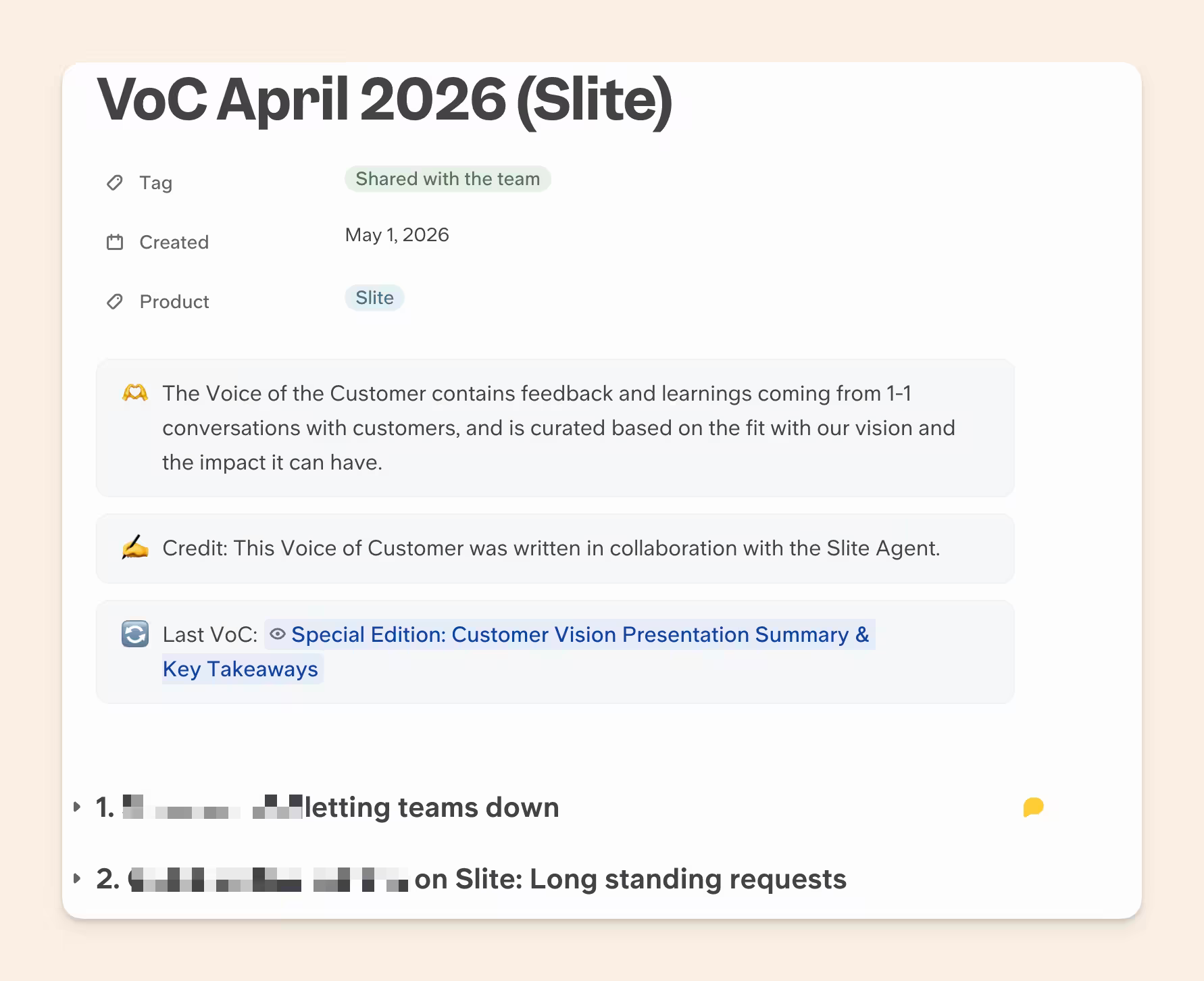
Our Customer Success Owner, Fiona, uses the Slite Agent to build her monthly VoC documents and surface 5 actionable insights with the exact # of customers asking for it, with their reasons:
3. Churn risk prediction
You usually find out an account is leaving only when they tell you. By then, it's already too late to have a conversation to address their concerns. However, churn risk prediction is complex work, and unscalable for teams serving 100+ customers.
This workflow will automate churn risk prediction research using your cross-tool context:
Use the Ask Slite skill. For every account renewing in the next 90 days, flag churn risk.

Combine:
- usage trend (declining logins, seats, or feature use)
- support sentiment and unresolved tickets
- call sentiment over the last quarter
- champion changes (key contact left, went quiet, or changed role)

Rank accounts by risk, show the specific signal behind each, and suggest one save play per high-risk account.
Wiring the champion signal was one of the biggest unlocks of this workflow.
Your POCs are usually the drivers of adoption for your new features and help you expand accounts. If they're quiet, it's a great practice to keep an eye out and ensure your rapport still holds.
Our top 3 agentic workflows for sales
Sales teams, by far, have the most dynamic weekly schedules of anyone in the team. Their calendars get populated with demo requests ad hoc while they already juggle the context of existing deals and doing hand-offs to customer success.
Every deal, be it new or ongoing, requires a lot of paperwork and context assimilation from your sales executive, especially things like RFPs and follow-up emails. Those are absolutely crucial but equally monotonous in nature.
There have been attempts to solve this using specific tools and ad hoc automations before, but none of them are scalable and do the job well.
It's a huge unlock to have a few sales agentic workflows that your AI orchestrator can run if it has all the insights and context across all deals, being constantly updated with something like the Slite agent.
1. Answer a full RFP in one pass
RFPs eat entire days because the answers are scattered across security docs and buried Slack threads in the dev team. An AE has to reconstruct the same 50-100 questions week on week for each deal while ensuring they're accurate.
This workflow lets you paste the whole questionnaire in one place so your can agent draft from your verified docs instead of your memory.
Use the Ask Slite skill. Here are [N] RFP questions: [paste them].

For each question, draft an answer pulled only from verified company docs. Return:
- the answer
- the source doc and link
- a confidence flag, marked "needs human review" for anything you couldn't verify

Keep answers in our standard RFP tone.
Keep it pinned to verified docs and make it flag anything it's unsure about so you can be confident in your RFP's accuracy.
In fact, this is such an important and time-saving workflow that we built a dedicated experience for this in Slite itself, you can read about it here and even run it without an AI orchestrator natively in Slite.
2. A full prospect dossier before every call
That half hour of digging before every call, across the CRM, three Slack threads, and a Drive folder, is time you could spend actually preparing.
This workflow pulls everything you know about the account into one brief before every call – be it discovery or negotiation – so you know exactly the objections you'll tackle in your upcoming in call.
Use the Ask Slite skill. Build a pre-call dossier on [prospect].

Pull from CS notes, tasks, Slack threads, and docs. Tell me:
- who they are and where the deal stands
- every past touchpoint and what was discussed
- open questions, blockers, and what they care about most
- the 3 things to lead with on this call
A helpful tip from our own AE, Katerina, who uses the Slite Agent to prepare these prep notes, is that you get the most value out of this workflow when you have your personal meeting recorder and your CRM connected.
Having your personal meeting recorder lets it pull from all the previous meeting transcripts, and having your CRM connected lets you know the exact details of the deal and its stages.
3. Lead research and personalized follow-ups
Outreach goes generic the second the volume goes up, even with state-of-the-art email enrichment tools like Clay.
The Slite agent researches each lead's external information from the web and your team's previous interactions into one place to write an email in your exact tone of voice.
Use the Ask Slite skill. For [lead / list of leads], research each one and draft a personalized follow-up.

Pull context from past calls, emails, CRM notes, and any Slack mentions. For each lead:
- a 2-line summary of who they are and what they need
- a follow-up email referencing something specific to them
- the next best action
This workflow should be on your priority because cold outreach is on its last legs due to poor personalisation. This workflow lets you improve it for each email dramatically by increasing your content's relevance, without the manual effort of scaffolding it all together.
Without the Slite Agent, the personalisation might look something like "Hey, I know you worked at [company] which raised a recent round"
With the Slite Agent, the personalisation looks like, "Hey, 4 of your team members already signed up to our tool and created 20+ docs. Would you like me to show you around?"
Our top 3 agentic workflows for engineering
Developers should be spending their time on code and shipping better systems. The problem is how much admin piles up around that work, so we picked 3 workflows that quietly eat hours and create busywork every developer runs into sooner or later:
- Consolidating scattered QA and bug reports into one triaged list
- Deduplicating the bug tickets clogging your backlog
- Catching the docs your last sprint quietly broke
And since you're already living in your orchestrator while you code, Slite Agent plugs right in, pulling the context for all three without you ever leaving the terminal. Here's how each one works.
1. Consolidate QA and bug reports
Bugs come in from a Slack thread, a Linear ticket, a support escalation, that one DM from a teammate who "just wanted to flag something." Half of them rot in place because nobody's pulling them into a single view.
The Slite agent does that and hands you one triaged list.
Use the Ask Slite skill. Pull every bug and QA report raised since [date] across Slack, Linear, and support.

For each: a one-line description, the source with a link, steps to reproduce if mentioned, and a severity guess. Group by area of the product and surface anything reported by more than one person first.
Once you get this report, you can also ask the AI agent to directly de-duplicate some records in your project management tool and create and update existing documentation that mentions these as undetected/unreported bugs.
If you're also encountering small bugs that you can fix multiple in one go, you can also ask the agent to update the statuses for each right after they are done.
2. Update the docs for what you just shipped
You just merged a real change. The code works, but every doc describing the old behavior is now quietly wrong.
Since you're still in the orchestrator and the agent already knows what changed, hand it the cleanup while the context is fresh.
Use the Ask Slite skill. I just shipped [change / PR link].

Find every doc, runbook, and help article that describes the old behavior, internal or customer-facing. For each, show me the section that's now wrong and a rewritten version that matches what ships now. Flag anything that needs a human call.
If you want to go another step, you can even use /hooks so that every time you ship a change or a PR, the agent auto recommends if it should run this or not. That way, your orchestrator will automatically remember sweeping your docs post every change.
3. Spin up an incident brief the second prod breaks
When something goes down, the first 30 minutes go into investigating what shipped recently, has this fired before, where's the runbook, and who owns this service.
Since the Slite Agent can get the complete picture for you, run this workflow so you can be briefed in 5 minutes and start working on the fix faster.
Use the Ask Slite skill. We have a production issue: [paste the error, alert, or symptom].

Pull everything I'd need to debug it fast:
- every change merged to the affected service or area in the last 7 days, with PR links and authors
- any past incident, bug, or Slack thread describing the same or a similar symptom, and how it was resolved
- the relevant runbook or on-call doc, and the current owner of this system
- any recent config, infra, or dependency change that could be related
- any past decision or known limitation about this system that might explain the behavior

Then give me the 3 most likely causes ranked by the evidence behind each, the exact files or changes to look at first, and anything you're unsure about. Do not assert a root cause you can't support from what you found.
The moment you resolve it, drop the fix back into Slite as a quick note. The next person who hits this, maybe you in six months, gets the answer handed to them without repeating the whole dig.
Our top 3 agentic workflows for Strategy and CXOs
Strategy and CXOs make high-stakes calls fast, usually on incomplete information. The judgment is the part you're good at. What eats the time is assembling the picture to judge against, the real story behind this quarter's numbers, the true status of a project three teams are touching, the honest read on which of last year's bets actually paid off.
These three workflows put that picture together in minutes:
- Pulling a board-ready investor update from the quarter's real numbers and narrative
- Running a full 360 x-ray on any project you need instant visibility on
- Tracing which decisions actually moved revenue, after the fact
Here's how each one runs.
1. The investor update, drafted from what actually happened
Every month, founders and CXOs rebuild an investor update from memory and a dozen dashboards, what moved, what slipped, the wins, the asks. The numbers live in one place and the narrative in another, and you stitch them together by hand the night before it's due.
Instead, you can hand off your current investor update template to the agent and make it run in the last week of every month to fetch real information and prepare a draft that you can review and tweak before send time
Use the Ask Slite skill. Draft our [monthly / quarterly] investor update for [period].

Pull from our metrics docs, board decks, Slack, and project trackers:
- the headline numbers and how they moved against last period and against plan (revenue, growth, burn, runway, key product metrics)
- the 3 biggest wins, with evidence
- what slipped or went wrong, and why
- key hires, launches, and customer milestones
- the current asks (intros, hiring, advice)

Write it in our usual investor-update voice. Lead with the numbers, stay honest about the misses, and flag anything where the data looks thin or I should double-check before it goes out.
In the last year, every one of our Investor Updates have been co-written with the Slite Agent.
However, not a single one of them has gone without a line edit from our CEO and an introductory paragraph which he writes from a personal context of how the company is moving and how to implicitly set expectations for the sections to come.
2. A full 360 X-ray of any project
Since project work happens across a few key owners and several tools, the Slite agent can help you reconstruct the entire picture and give you exactly the insights you need and answer the questions you have without you leaving your workflow.
Use the Ask Slite skill. Give me a full 360 on the [project name] project.

Pull from Linear/Jira, Slack, docs, and any related calls/tools:
- the goal and why we're doing it, with the original decision or PRD
- current status: what's done, what's in flight, what's blocked
- the timeline against the original plan, and where it slipped
- who owns what
- the risks and open questions nobody has resolved
- any customer or revenue impact tied to it
- what's the impact of the project if it's been finished, do we have any positive or negative early signals?

End with a one-paragraph honest read on whether this is on track, at risk, or off the rails, and what would have to change to fix it.
This is used by our leadership team quite regularly when they want visibility in a project that cuts across a different department, or when they want a clear overview of all projects after they come from PTO. This directly lets them know where they are needed and who the correct individuals are to speak to to get things moving again
3. The revenue retrospective, to see which calls were right
In order to retrospectively see if you made the right decision three quarters ago, you would need:
- When the project actually finished
- What was the actual impact on the business, which will be buried in your website analytics or product analytics tools
- What was the actual impact on the bottom line, which will be in your revenue analytics platform
Since Slite agent can securely access data and do SQL analysis across all of it, it gives you a clear picture to understand everything, and this is how to use it
Use the Ask Slite skill. Run a retrospective on what moved revenue over [the last 2-4 quarters].

Pull the major decisions and changes we made (pricing, packaging, onboarding, GTM, key features) from our decision docs and Slack, then line each one up against the revenue and funnel data that followed:
- the change, when it shipped, and what we expected it to do
- what actually happened to the relevant metric (conversion, expansion, churn, ARR) afterward
- your best read on whether it helped, hurt, or did nothing, with the evidence
- where the correlation is too messy to call

Rank the calls from clearest win to clearest miss, and flag the ones we should double down on or reverse.
Over the last few months, this has helped us analyse our long-term bets on pricing changes, make different strategic bets on GTM motions, and make changes to the team structure. Every single time, the Slite agent came back with a clear timeline of how the idea was executed, what was the actual impact versus the predicted impact, and what could have been done better for the next time.
Before you go
If this feels like a lot, it is. Don't try to run twenty workflows by Friday. Pick the one thing that wasted your time this week and set that up first. You'll feel the difference in a day, and every workflow after it is easy because the setup is already done.
A few things I wish someone had told me earlier.
- The agent is only as good as what Slite can find. Spend an hour verifying the handful of docs you actually rely on and connecting as many relevant sources you can.
- Anything you run more than once, schedule it. Set them to run on their own and you wake up to the work already done instead of remembering to ask for it.
That's a small slice of what teams are doing with this.
If you want to find the workflows that fit your stack and your team specifically, book a demo and we'll walk through them with you.
FAQs
What are agentic workflows?
Agentic workflows are multi-step tasks you delegate to an AI agent (in Claude Code, Codex, or Cursor) that it completes end to end, gathering the context, doing the work, and reporting back, instead of you running each step by hand. The 18 examples above are all agentic workflows: the agent pulls the company context it needs from your company brain, then drafts, triages, or analyzes in a single pass.
Can't I just do this with MCPs and Claude?
You can, and for small things you should. If you want the agent to do something in a tool, create the ticket, open the PR, post the update, an MCP is exactly right. It falls apart the moment you ask it to go find context. To answer something like "what did we decide about pricing," your agent loads every tool definition, fires call after call across Slack, Linear, and Drive, and stitches an answer out of fragments, burning your context window and your session limit before the real work even starts. We benchmarked it here. The brain does that same retrieval in one call and hands back only what matters. MCPs to act, a brain to remember.
Do I have to rip out my MCPs?
No, and please don't. Keep every MCP you use to do things. The only change is you stop using them to gather context and let the brain handle that part. They're better together than either is alone: the brain reads, the MCP writes.
Does this only work with Claude Code?
No. The brain is agnostic. Claude Code, Codex, Cursor, whatever your team reaches for, if it can call an MCP it can call Slite. When you switch orchestrators next quarter, and you will, the brain stays put.
Is my company data safe? What can the agent actually see?
It answers inside your existing permissions. If someone can't see a doc in Slite, the agent won't surface it to them either. Wiring this up doesn't expose anything new or re-share things sideways, so you're not opening a door by setting it up.
What if our docs are a mess?
The honest answer is the brain is only as good as what it can find, but two things take the pressure off. It pulls from far more than your docs, the Slack threads, the call transcripts, the tickets where decisions actually get made, and verified content ranks higher, so an hour spent verifying the ten docs you lean on most pays off across every workflow above.