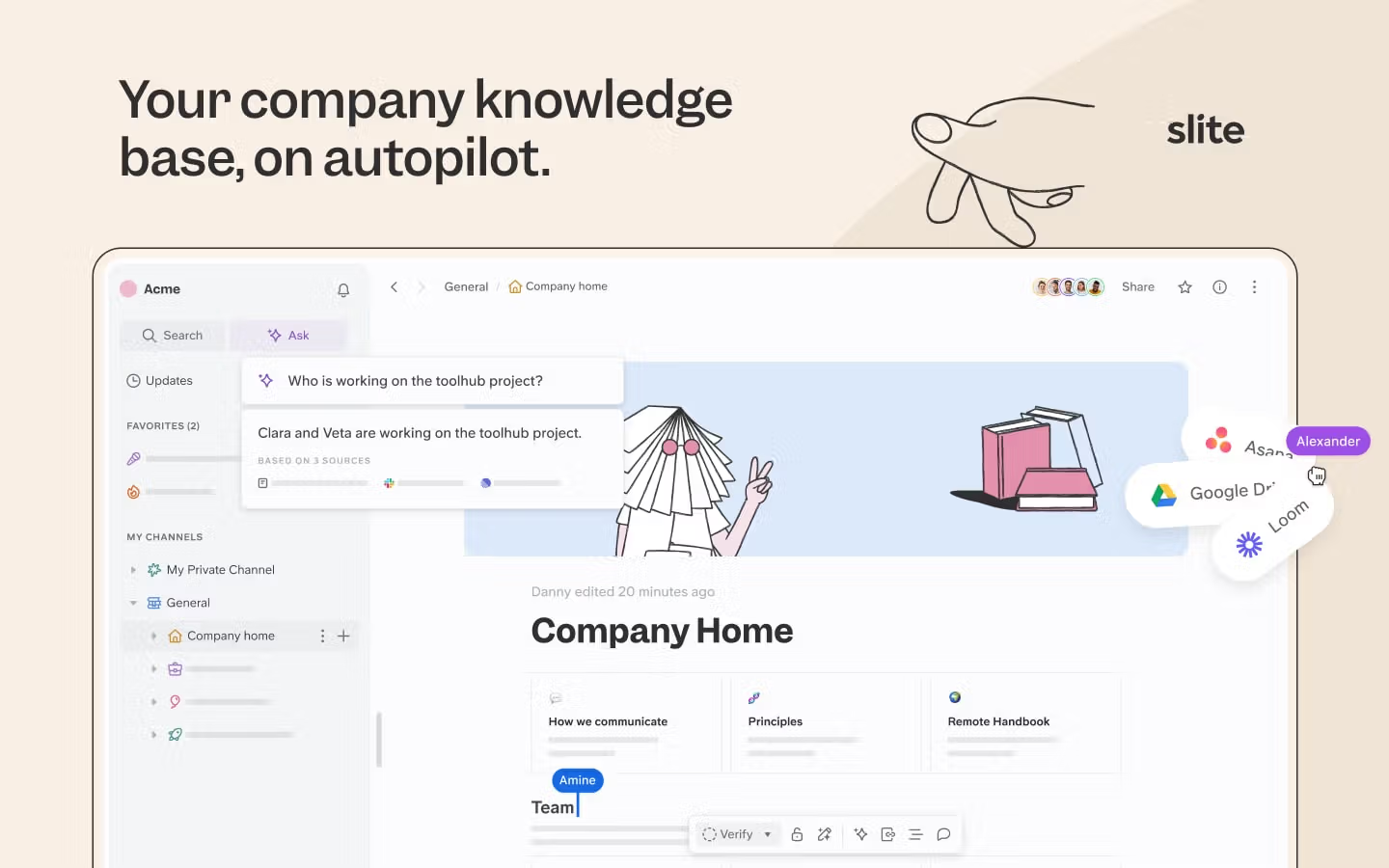
You know the moment. A client asks an associate for the latest version of a clause your firm has used a dozen times, and three people send three different drafts. The practice group's wiki has one, a partner's Google Drive has a newer one, and the version that actually went out on the last matter is buried in a Slack thread from last quarter.
This is what most firms mean when they say their knowledge is a mess.
Precedents and model documents go stale faster than anyone can maintain them, search slowly degrades as duplicate drafts pile up, and associates give up and ask down the hall instead.
When the partner who knows how a matter was handled is in trial or on vacation, the answer they carry in their head is simply unavailable, and the billable time spent rebuilding it is gone.
This guide is about fixing that for your law firm's internal knowledge.
We'll walk through how to organize legal knowledge so people (and AI) can actually find it, where AI genuinely changes the work, and how to keep it governed and audit-ready.
Key takeaways
- The three pillars of a working system are people, processes, and technology, and technology supports the other two rather than replacing them.
- AI changes legal knowledge management most where it searches your firm's own documents and answers questions in the tools you already use, not where it tries to replace legal research.
- Governance is the part legal teams care about most: approval trails, verification, revision history, and honest controls over how AI uses your data.
- You measure success by how much faster people find the right answer and how much less work gets duplicated, not by raw usage counts.
What is legal knowledge management?
Legal knowledge management is the practice of capturing, organizing, and maintaining a firm's internal know-how, such as precedents, model clauses, practice notes, and the reasoning behind past matters, so the right answer is findable and current instead of locked in one partner's memory or scattered across tools.
The importance of legal knowledge management in law firms
Clients expect faster, smarter service while legal work gets more complex. Good knowledge management is how leading firms keep up: when associates can quickly tap into the firm's collective experience, the same questions stop costing the same billable hours.
Think about a typical day:
- A junior associate needs precedents for an unusual matter
- A partner wants to reuse a strategy that worked last year
- A new hire needs to understand standard procedures
- A client needs a quick answer about their industry's regulations
Without a working system, each of these means starting from scratch or interrupting a colleague. With one, your team finds answers in minutes.
The value compounds.
A senior partner documents how a tricky matter was handled, an associate adds a cleaner template, and a practice-group lead records why a clause reads the way it does. Each contribution makes the next person's work faster and more consistent, and the firm stops losing that reasoning every time someone leaves.
How AI is changing legal knowledge management
For years, "knowledge management" meant building folders and hoping all the associates kept them tidy. AI changes the job in one specific way: instead of you hunting through documents, the system reads your firm's own documents and answers the question.
Semantic search is the first shift
An associate can ask "what's our position on data-processing addenda for EU vendors?" and get the relevant clause and the practice note behind it, even if the document never uses those exact words. The system matches meaning, not keywords.
The second shift is surfacing precedent without a dedicated custodian
AI can pull the prior matter, the template, and the note explaining why a clause was drafted a certain way, so the reasoning travels with the document instead of staying in one partner's head.
The third shift is source-grounded answers
The point of AI over internal knowledge is that every answer cites the document it came from, so a partner can verify it before relying on it. This is the opposite of a general chatbot guessing; it is your own approved material, attributed.
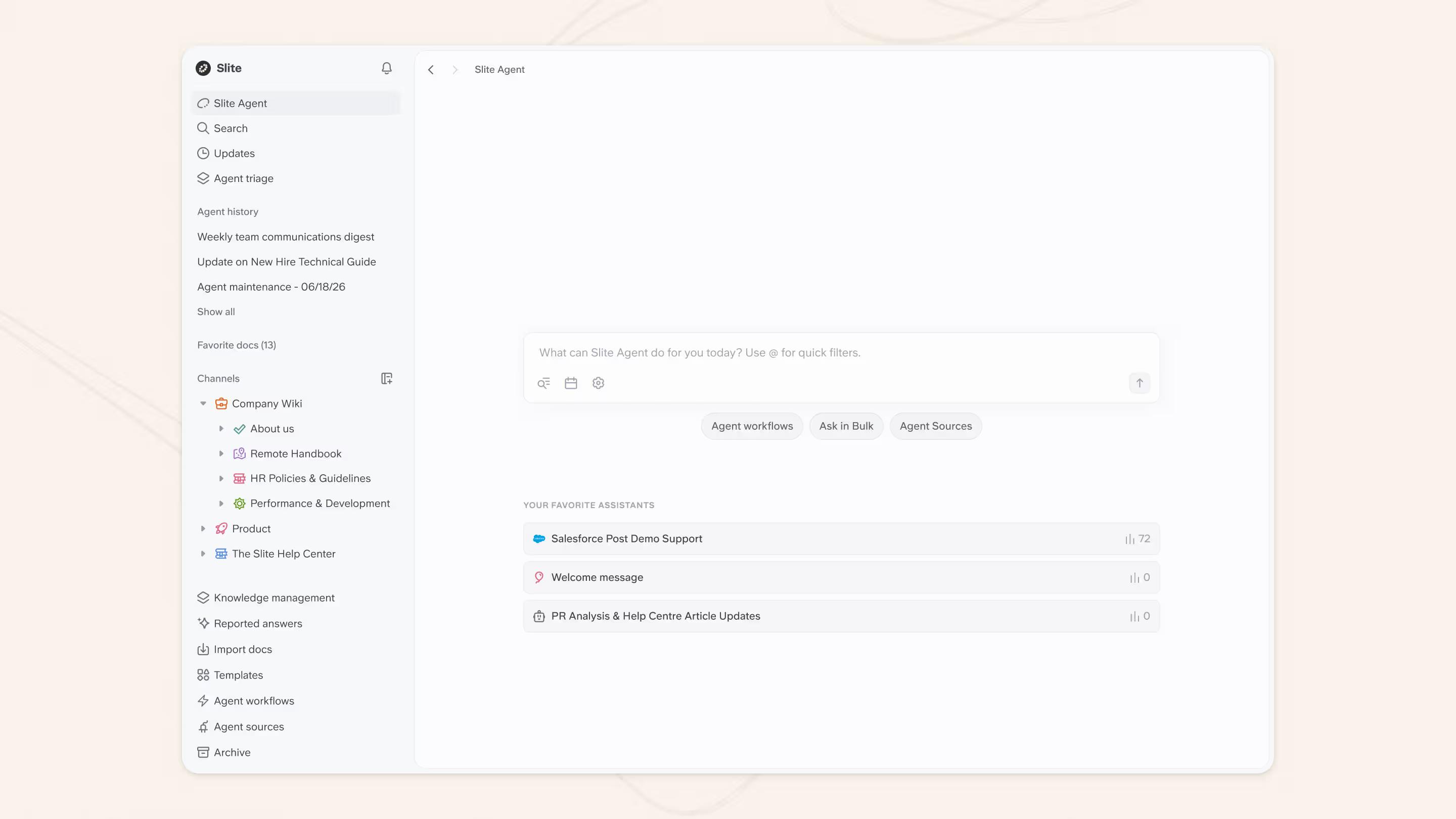
It helps to be clear about what this kind of AI does.
Answering questions from your firm's own documents, such as past memos, model clauses, or how a similar matter was handled, is a different job from researching external case law.
Dedicated legal-research tools like LexisNexis and Westlaw cover the case-law side; an AI knowledge layer works over the knowledge your team has already created and captured. Most firms end up using both, for different jobs.
The fourth shift is to ask questions where the team already works
The friction that kills most knowledge bases is the trip to go find it. Legal teams told us the feature they wanted most was simple: ask a question in Slack and get the answer from the knowledge base, without leaving the conversation.
With Slite, the Slite Agent answers questions directly in Slack from your verified documents and links back to the source. An associate can ask whether the firm has a model clause for a specific indemnity scenario and get the relevant precedent in the thread, rather than opening another tab and searching.

The knowledge lives in the knowledge base; the answer comes to where people already work. See our guide to building an AI knowledge base for how this fits together.
The three pillars of your legal knowledge framework
Every firm has unique needs, but a working system always rests on three pillars: people, processes, and technology. Here is how they fit together.
The human element
Someone has to own the knowledge, decide what matters, and keep it usable.
That team usually includes:
- Knowledge directors who set priorities and decide what gets documented
- Practice-group experts who judge which precedents and templates are worth keeping
- Lawyers comfortable enough with the tools to bridge old and new workflows
- Specialists who structure content so it's searchable
- Training leads who get the rest of the firm actually using the system
Leadership buy-in decides whether any of this sticks.
When partners use the system and contribute to it, knowledge sharing becomes part of how the firm works instead of an IT project no one opens.
Smart processes
Good processes turn loose information into knowledge people trust:
- Clear guidelines for documenting matter insights
- Regular reviews of what worked and what didn't
- A consistent way to capture and share best practices
- Simple steps for updating outdated information
- Clear rules about who can access what
The processes have to feel like part of the work, not extra paperwork. When contributing knowledge is as easy as sending a message, people actually do it.
Technology that works for you
Legal tech should remove steps, not add them. A typical stack includes:
- A document management system that makes finding precedents simple
- AI search that answers questions from the firm's own documents
- Collaboration tools so teams can build on each other's work
- Access controls that protect sensitive information
- Analytics that show which knowledge actually gets used
Technology supports people and processes; it does not replace them. The most expensive system won't help if people don't use it or if the underlying processes don't make sense.
Benefits of implementing legal knowledge management
When firms get knowledge management right, the gains show up in daily work and in client relationships.
Making clients happier (and more loyal)
Clients expect fast, accurate answers, and a working system delivers:
- Instant access to relevant matter histories and precedents
- Quick, consistent responses to common questions
- Secure client portals where they can reach their documents anytime
- Regular updates on their matters without having to ask
When a client calls about an issue similar to one you've handled before, your team can share proven strategies and likely outcomes in the first conversation.
Working smarter, not harder
Good knowledge management changes how lawyers spend their time:
- Find precedents in minutes, not hours
- Stop rebuilding documents that already exist
- Learn from colleagues' experience across offices
- Spend more time on high-value work
A junior associate preparing for a first major matter can find similar cases, the arguments that worked, and practical notes from senior lawyers in hours instead of days.
Protecting your firm and clients
Good knowledge management protects the firm through version control and a clear record of who did what:
- Keep sensitive documents secure but accessible to the right people
- Track who viewed what and when
- Make sure everyone is working from the latest approved version
- Keep audit trails for compliance
- Preserve critical institutional knowledge
Accurate, current information also lowers risk: people stop acting on a superseded policy because the current one is the one they find.
When a key partner retires, their decades of experience and all that tribal knowledge shouldn't walk out the door. Captured well, that reasoning becomes a permanent firm advantage.
Organizing and categorizing knowledge assets
Organizing knowledge assets means giving documents, templates, and research a structure people can navigate, usually a simple taxonomy and consistent tags. A well-organized base lets lawyers find the right document quickly and reuse what already exists instead of recreating it, which keeps advice consistent and cuts duplicated work.
The goal is not a perfect filing system. It is that the next person who needs something finds it on the first try and trusts that it's current.
Choosing the right legal knowledge management tools
Picking tools starts with the category you actually need, not the vendor with the longest feature list. Most firms are choosing across four categories, and they do different jobs.
| Category | What it's for | When a firm needs it |
|---|---|---|
| Knowledge base / wiki | Internal precedents, model clauses, practice notes, playbooks | You need one current source of truth your team can search and trust |
| Document management | Filing, versioning, and retention of formal matter documents | You manage large volumes of matter files and formal records |
| AI search | Answering questions from your own documents, in your team's tools | People keep asking the same questions and giving up on search |
| Collaboration | Drafting and editing together in real time | Several people build the same documents |
If you want a starting point rather than a vendor ranking, here are five tools worth looking at, grouped by the job they do. Slite is first, but it's clearly one of five, and most firms use several together.
- Slite: the AI knowledge layer and internal wiki for the firm's own memos, precedents, playbooks, and SOPs, with AI search across them.
- LexisNexis: AI-assisted legal research across external case law and precedent.
- Google Drive: shared file storage for documents and matter files.
- iManage: legal document management (DMS) with version control and matter-centric filing.
- Clio: practice and matter management: intake, matters, time, and billing.
How does Slite work for law firms
Slite is the AI intelligence layer over your law firm's internal knowledge: precedents, model clauses, practice notes, and playbooks, not matter management or legal research.
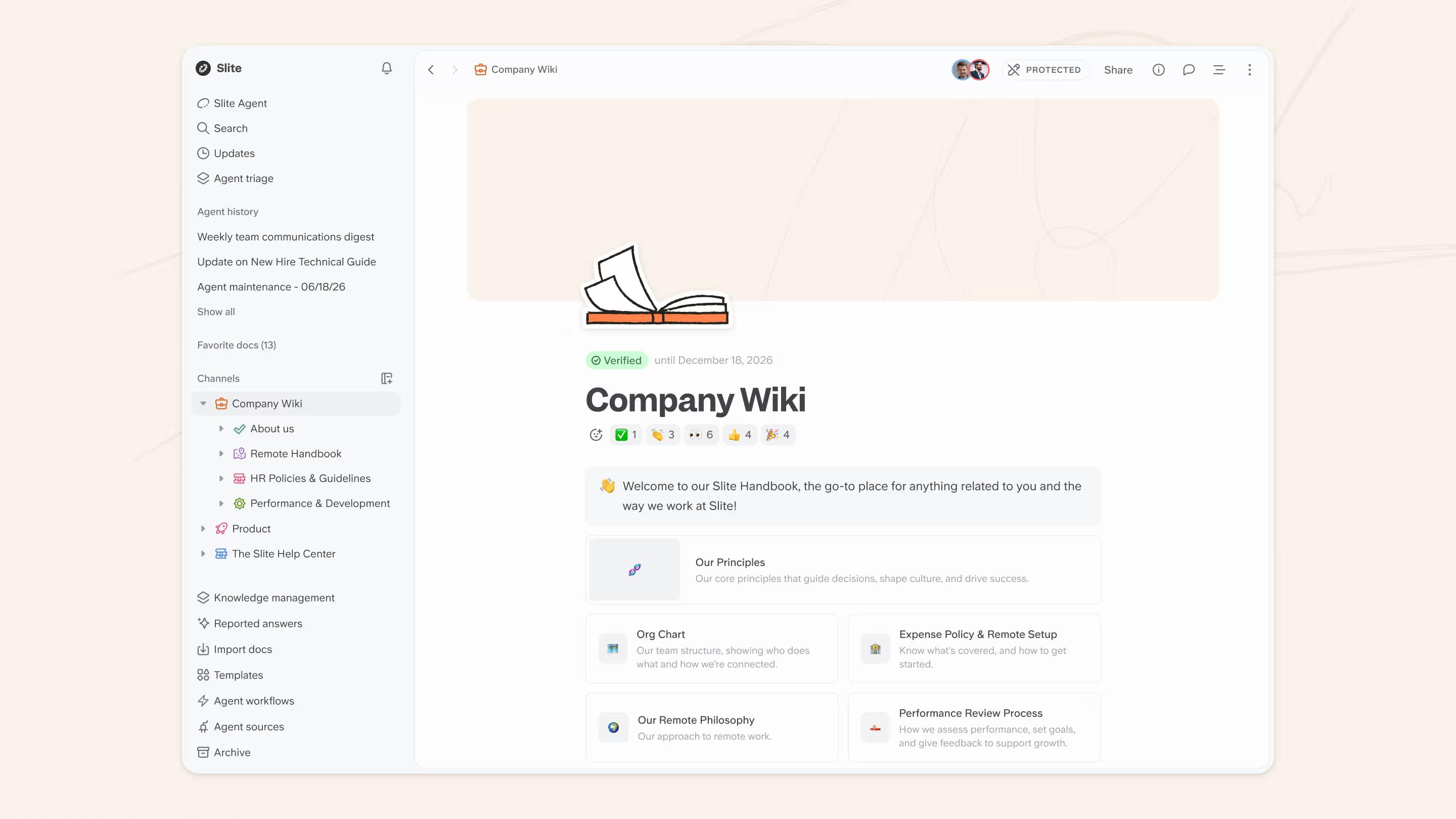
A working internal knowledge base runs on doc owners and verification cycles, so each important document has someone responsible and a checked, current state.
AI search answers questions from that base, including directly in Slack.
And because it's a self-maintaining knowledge base, the Slite Agent flags documents that have likely drifted out of date and proposes a fix for a human to approve.
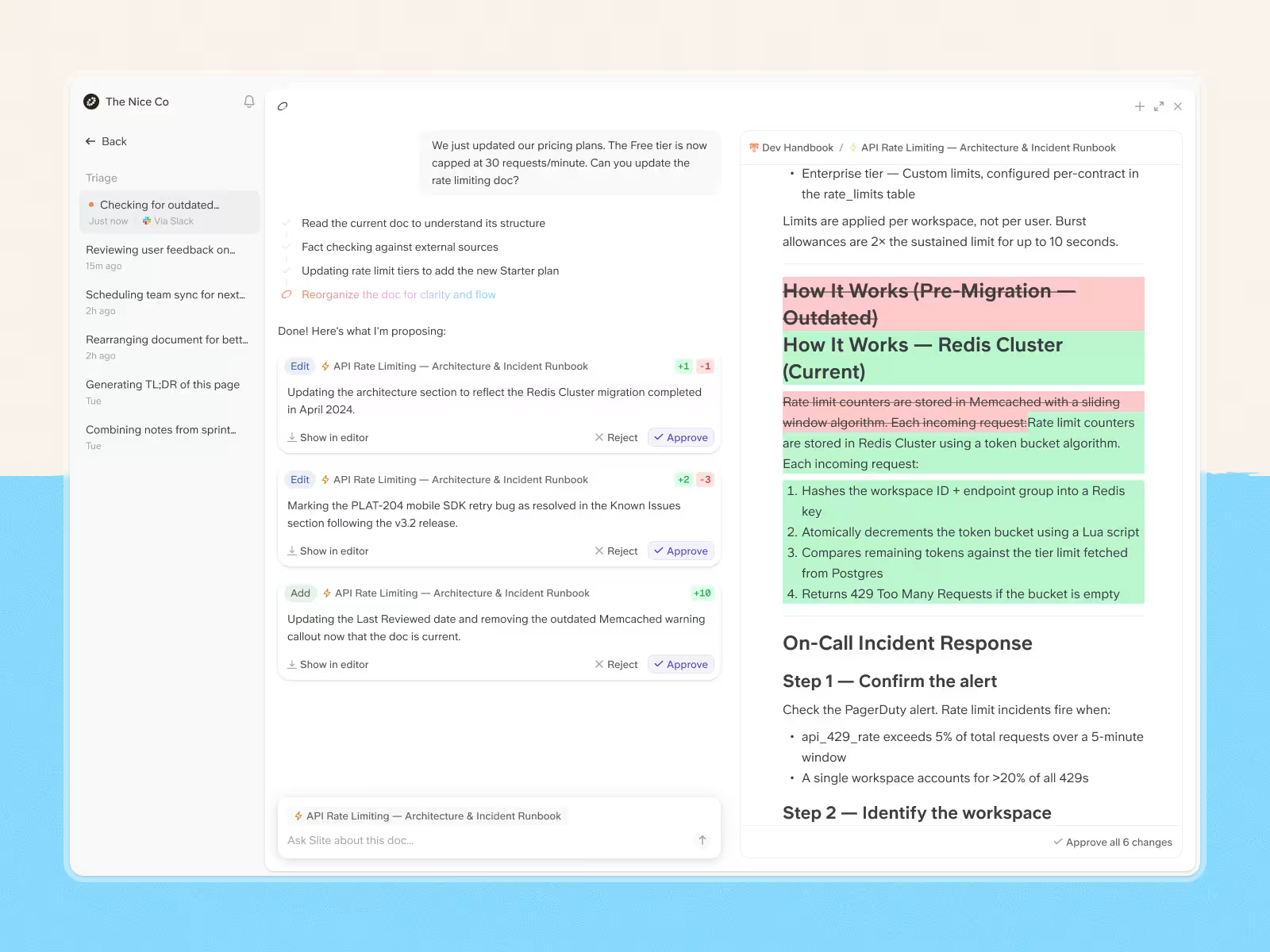
The AI prepares the change; a person signs off. Nothing updates itself behind your back. You can see how it works at slite.com.
How to build (or rebuild) your legal knowledge management program
A working program is a sequence, not a one-time project. These steps move you from scattered documents to a system people trust and an AI layer that earns its place. Start small, prove the value on a few high-friction workflows, then widen.
| Step | What to do | What you get |
|---|---|---|
| 1. Assess existing knowledge | Map how your team finds and shares information today, including the Slack threads and personal drives, so you know what you're consolidating. | A clear picture of where knowledge actually lives and what's missing |
| 2. Pick 2-3 priority workflows | Choose the few things people ask about constantly, like finding a precedent fast or onboarding a new associate, and fix those first. | Early, obvious wins that build the case for the rest |
| 3. Structure content for lawyers and AI | Give each area clear ownership and consistent structure, and write documents to be found by a person and answered from by AI search. | A base people can navigate and AI can answer from |
| 4. Deploy AI in the flow of work | Turn on ask-in-Slack, verify key documents so the AI answers from checked sources, and train people on how to ask and contribute. | Answers where people already work, from trusted sources |
| 5. Govern it as an ongoing program | Set verification cycles, review the most-used documents on a regular cadence, and keep approval and revision history clean for audits. | A system that stays current and stands up to scrutiny |
Lawyers resist change when proven methods feel safer and billable targets leave no room to learn a new system, so make the transition gradual and let influential partners share the wins.
Good knowledge management is a permanent change in how the firm works, not a project that ends. Done right, it becomes as routine as checking email.
Measuring the success of your legal knowledge management program
Measurement keeps a knowledge management system honest: regular monitoring catches problems early and shows where to improve. Focus on metrics that reflect how the system affects daily work and client service, not raw login counts.
| What to measure | Why it matters |
|---|---|
| Time saved finding critical information | Shows the system is faster than asking a colleague or starting from scratch |
| Reduction in duplicate work | Confirms people reuse what exists instead of rebuilding it |
| Document retrieval success rate | Tells you whether search actually returns the right answer |
| New-lawyer ramp-up time | Measures how fast the system gets new hires productive |
| Partner review time on standard documents | Indicates associates are drafting from better precedents |
| Contribution and adoption rates | Reveals whether the system is becoming part of how people work |
| Client response speed and satisfaction | Connects the system to the service clients actually feel |
Give people a couple of easy ways to flag what's missing or out of date, such as quick ratings on documents and a short quarterly check-in with heavy users, and act on what you hear quickly.
When lawyers see their suggestions implemented, they keep contributing, which keeps the system improving. Good metrics measure how well the system helps lawyers serve clients better, not just how often people log in.
Conclusion
The firms that win at this treat knowledge management as a standing program: clear ownership, current documents, honest governance, and an AI layer that answers from material people trust. The technology only matters when leadership uses it and the processes underneath make sense.
If your firm's internal knowledge is scattered across wikis, drives, and Slack threads, that's the problem to solve first. Slite is the AI intelligence layer over that knowledge: a self-maintaining knowledge base where doc owners and verification keep documents current, the Slite Agent answers questions in Slack from your own sources, and your revision history stands up as audit evidence. It is the internal-knowledge layer, not a replacement for your legal-research or matter-management tools.
Take a walk around Slite to see how it fits your team, or book a demo and we'll set it up against your own knowledge.